
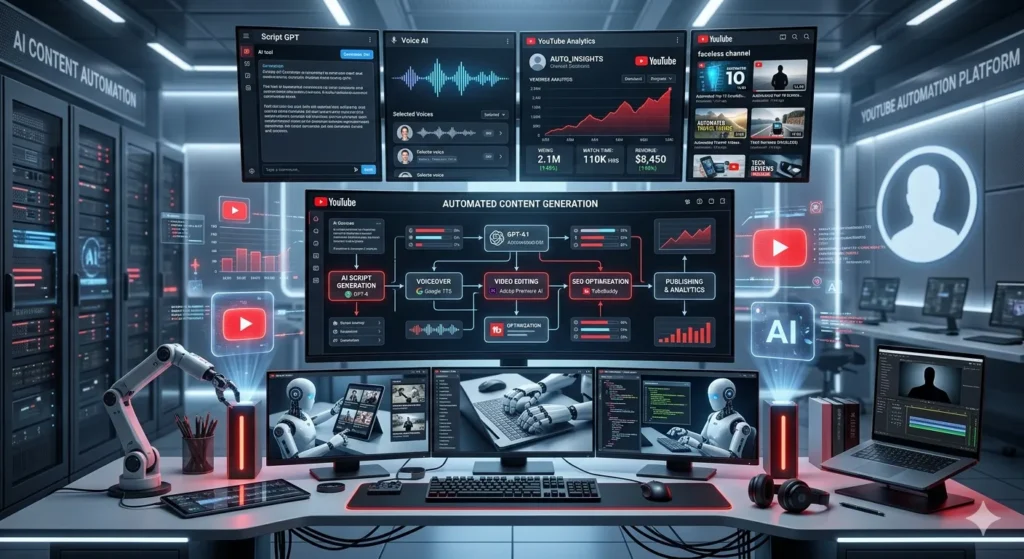
YouTube automation explained in the simplest way means running a YouTube channel without personally recording videos or appearing on camera. Instead of doing everything yourself, you outsource or automate different parts of the content creation process such as scripting, voiceover, video editing, and thumbnail design.
In recent years, YouTube automation has become one of the most popular online business models. Many creators are building profitable channels while staying behind the scenes.
But here’s the truth: YouTube automation is not a “get rich quick” scheme. It requires strategy, consistency, and smart execution.
In this complete guide, we will break down YouTube automation explained step-by-step so you can understand how it works, how to start, and how to scale it successfully.
What is YouTube Automation Explained in Simple Terms?
To fully understand YouTube automation explained, imagine running a small media company instead of a personal YouTube channel.
You act as the manager:
- You choose the niche
- You plan the content
- You hire freelancers
- You optimize videos for SEO
Meanwhile, your team handles:
- Script writing
- Voiceover
- Video editing
- Thumbnail design
This allows you to scale faster and focus on growth instead of doing everything manually.
How YouTube Automation Works
Step 1: Choose a Profitable Niche
The foundation of YouTube automation is selecting the right niche. Some of the best niches include:
- Finance (Make money online, investing)
- Tech (AI tools, gadgets)
- Health & Fitness
- Motivation
- Facts & Education
A good niche should have:
- High search demand
- Monetization potential
- Evergreen content
Step 2: Keyword Research for YouTube Automation
Keyword research is the backbone of YouTube automation success.
Instead of targeting broad keywords, focus on long-tail keywords like:
- “YouTube automation explained for beginners”
- “How YouTube automation works in 2026”
Use tools like:
- TubeBuddy
- VidIQ
Step 3: Content Planning
Create a content calendar:
- 2–3 videos per week
- Focus on trending + evergreen topics
Consistency is key in YouTube automation.
Step 4: Script Writing
The script should:
- Hook viewers in first 5 seconds
- Provide value
- Keep audience engaged
Example structure:
- Hook
- Problem
- Solution
- CTA
Step 5: Voiceover & Video Editing
You can:
- Hire freelancers (Fiverr, Upwork)
- Use AI tools
Make sure:
- Audio quality is clear
- Visuals match the script
Step 6: Thumbnail & Title Optimization
This is where clicks happen.
Tips:
- Use bold text
- Add curiosity
- Bright colors
Step 7: Upload & SEO Optimization
For proper YouTube automation:
- Add keyword in title
- Write SEO description
- Use tags
- Add chapters
Is YouTube Automation Legit or Scam?
YouTube automation explained honestly: It is 100% legit if done correctly.
However, many people fail because:
- They expect fast money
- They don’t focus on quality
- They copy content
Pros and Cons of YouTube Automation
Pros:
- Passive income potential
- No need to show face
- Scalable business model
Cons:
- Initial investment required
- Takes time to grow
- Needs management skills
How Much Does YouTube Automation Cost?
Starting cost depends on your budget:
- Script: $10–$50
- Voiceover: $10–$30
- Editing: $20–$100
Total per video: $50–$200
How YouTube Automation Makes Money
YouTube automation explained monetization methods:
- AdSense revenue
- Affiliate marketing
- Sponsorships
- Digital products
Best Tools for YouTube Automation
- Canva (Thumbnails)
- CapCut (Editing)
- ChatGPT (Scripts)
Common Mistakes in YouTube Automation
- Choosing wrong niche
- Poor thumbnails
- Low-quality scripts
- Inconsistent uploads
YouTube Automation Strategy That Works in 2026
To win in YouTube automation:
- Focus on retention
- Create binge-worthy content
- Analyze competitors
- Improve every video
EEAT: Why It Matters for YouTube Automation
Google and YouTube prefer content that shows:
- Experience
- Expertise
- Authority
- Trustworthiness
To build EEAT:
- Provide real value
- Use accurate information
- Stay consistent
FAQs: YouTube Automation Explained
1. What is YouTube automation explained in simple words?
It means running a YouTube channel by outsourcing tasks instead of doing everything yourself.
2. Is YouTube automation beginner-friendly?
Yes, but it requires learning and consistency.
3. Can I start YouTube automation with no money?
Yes, but growth will be slower.
4. How long does it take to make money?
Usually 3–6 months with consistent effort.
5. Is YouTube automation allowed by YouTube?
Yes, as long as content is original and not reused.