
If you’re planning to start a blog in 2026, one of the biggest questions you’ll face is: WordPress vs Blogger comparison — which platform should you choose?
Both platforms are popular, beginner-friendly, and widely used. However, they serve different purposes and users. In this detailed WordPress vs Blogger comparison, we’ll break down everything you need to know so you can make the right decision.
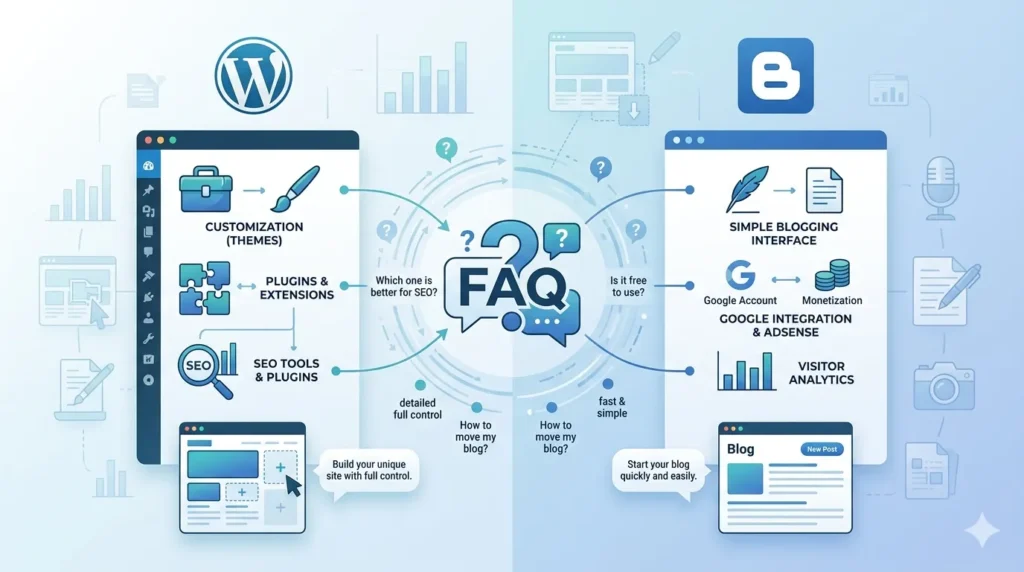
What is WordPress?
WordPress is the world’s most popular content management system (CMS), powering over 40% of websites globally. It offers flexibility, customization, and powerful features for bloggers, businesses, and developers.
There are two types:
- WordPress.com (hosted)
- WordPress.org (self-hosted)
What is Blogger?
Blogger is a free blogging platform owned by Google. It is simple, easy to use, and ideal for beginners who want to start blogging without technical knowledge.
WordPress vs Blogger Comparison: Key Differences
Let’s dive into the main WordPress vs Blogger comparison factors:
1. Ease of Use
WordPress
WordPress is beginner-friendly but may require some learning, especially for hosting and setup.
Blogger
Blogger is extremely simple. You can start a blog in minutes using your Google account.
👉 Winner: Blogger (for beginners)
2. Customization & Design
WordPress
- Thousands of themes and plugins
- Full design control
- Drag-and-drop builders available
Blogger
- Limited templates
- Basic customization options
👉 Winner: WordPress
3. SEO Capabilities
In this WordPress vs Blogger comparison, SEO is a major factor.
WordPress
- Advanced SEO plugins (like Yoast SEO)
- Full control over URLs, meta tags, and schema
- Better ranking potential
Blogger
- Basic SEO features
- Limited control
👉 Winner: WordPress
4. Ownership & Control
WordPress
You own your website completely (especially with WordPress.org).
Blogger
Google owns the platform. Your blog can be removed if policies are violated.
👉 Winner: WordPress
5. Monetization
WordPress
- Multiple earning options
- Affiliate marketing
- Ads, courses, services
Blogger
- Mostly limited to AdSense
- Fewer monetization options
👉 Winner: WordPress
6. Security
WordPress
Requires plugins and regular updates for security.
Blogger
Highly secure because it’s hosted by Google.
👉 Winner: Blogger
7. Cost
WordPress
- Hosting + domain required
- Paid themes/plugins (optional)
Blogger
- Completely free
👉 Winner: Blogger
8. Scalability
WordPress
Perfect for long-term growth and scaling.
Blogger
Limited scalability.
👉 Winner: WordPress
Pros and Cons
WordPress Pros
- Full control
- Powerful SEO
- Unlimited customization
- Better monetization
WordPress Cons
- Requires investment
- Slight learning curve
Blogger Pros
- Free to use
- Easy setup
- Secure
Blogger Cons
- Limited features
- Less control
- Not ideal for scaling
WordPress vs Blogger Comparison: Which One Should You Choose?
After this detailed WordPress vs Blogger comparison, here’s the simple answer:
Choose WordPress if:
- You want to build a professional blog
- You care about SEO and ranking
- You plan to earn money online
Choose Blogger if:
- You are a complete beginner
- You want a free platform
- You are blogging as a hobby
Final Verdict
In this WordPress vs Blogger comparison, WordPress clearly wins for serious bloggers and businesses. It provides better SEO, customization, and monetization options.
However, Blogger is still a great starting point for beginners who want to learn blogging without investment.
FAQs (WordPress vs Blogger Comparison)
Which is better for SEO, WordPress or Blogger?
In the WordPress vs Blogger comparison, WordPress is better for SEO because of advanced plugins and full control over optimization.
Is Blogger good for making money?
Yes, but in the WordPress vs Blogger comparison, Blogger has limited monetization options compared to WordPress.
Can I switch from Blogger to WordPress?
Yes, you can migrate your blog from Blogger to WordPress anytime.
Is WordPress free?
WordPress software is free, but hosting and domain cost money.
Which platform is best for beginners?
In the WordPress vs Blogger comparison, Blogger is easier for beginners, but WordPress is better for long-term success.